
Linux
How to Casting with Ubuntu 18.04
Hi Guys, Today we will be looking into how to connect the smart devices such as Google home devices, Amazon Alexa over the network to the Ubuntu powered pc.
There are many ways that you can use to cast your devices.
Method 1 – Using Terminal
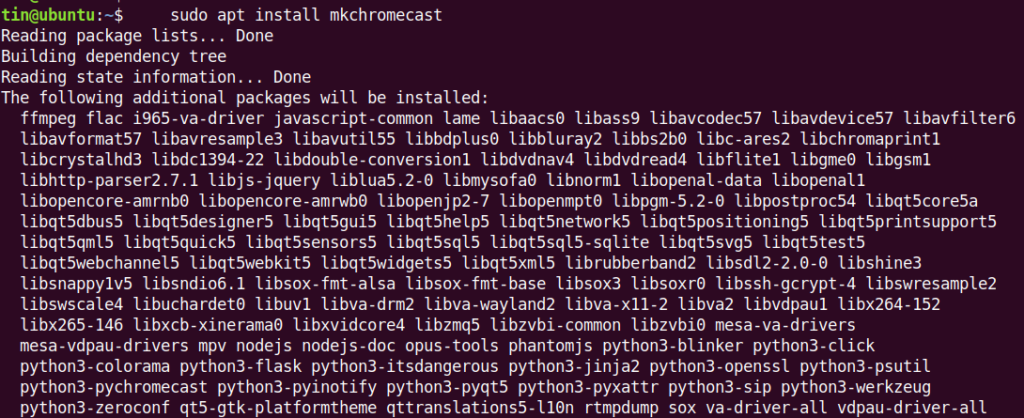
Launch the terminal using Ctrl + Alt+T or using the menu. Use the following command to install the mkchromecast. This will allow you to play the media files on the local pc to the casted devices.
|
1 |
sudo apt install mkchromecast |
|
1 |
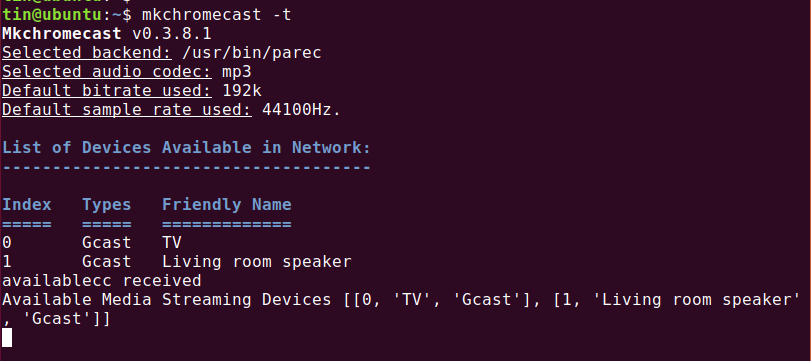
mkchromecast –t |
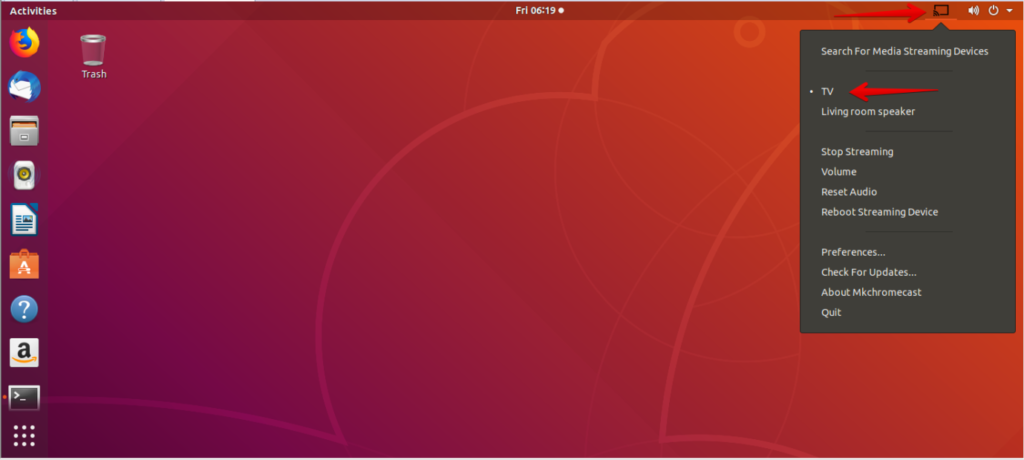
Now search for chromecast from the menu. The when it appears on the taskbar, select the desired device.
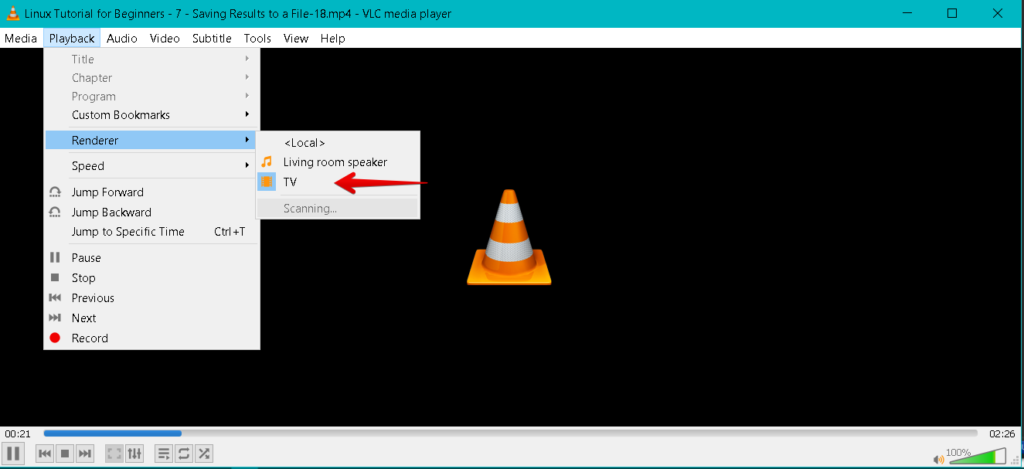
Method 2 – Using VLC Media Player
Open the VLC Player.
|
1 |
Playback --> Render |

-

 DevOps7 years ago
Saltstack Tutorial for beginners [2025]
-

 DevOps7 years ago
How to build a Docker cron job Container easily [2025]
-

 Linux7 years ago
mail Command in Linux/Unix with 10+ Examples [2025]
-

 DevOps7 years ago
Docker ADD vs COPY vs VOLUME – [2025]
-
 DevOps6 years ago
How to setup Pritunl VPN on AWS to Access Servers
-

 Linux7 years ago
Grep Command In Unix/Linux with 25+ Examples [2025]
-

 Linux7 years ago
Find command in Unix/Linux with 30+ Examples [2025]
-
Linux6 years ago
How To setup Django with Postgres, Nginx, and Gunicorn on Ubuntu 20.04